At a glance: Conference Room AV

Where it is used

  • Boardrooms
  • Huddle rooms
  • Training rooms
  • Hybrid meeting spaces

Before you specify

  • Room count and room types
  • Platform standard: Teams, Zoom, Google Meet or BYOD
  • Table shape and microphone coverage
  • Camera framing and auto-tracking needs
  • Control interface and IT management

Send us the room and the goal. A Certified Technology Specialist replies with a layout, a spec sheet and an honest budget.

Ask CTS expert

What we get right that others skip

A standard room template is worth more than a premium codec. We define two or three room types for your estate, then repeat them, so users learn one interface and IT stocks one set of spares.

Microphone coverage, camera framing and echo cancellation are engineered for the actual table shape, not assumed from a datasheet.

Decide these before you buy

  • Room count and room types
  • Platform standard: Teams, Zoom, Google Meet or BYOD
  • Table shape and microphone coverage
  • Camera framing and auto-tracking needs
  • Control interface and IT management

Where it is used

  • Enterprise boardrooms
  • Hybrid meeting rooms
  • Executive briefing centres
  • Interview and HR rooms
  • Training and certification rooms

What you get from Bitsy

  • Needs analysis and design by a Certified Technology Specialist
  • Spec sheet, layout drawing and an honest indicative budget
  • Supply, installation, software and commissioning by one team
  • Dedicated support desk with contracted response times

Why buyers pick Bitsy

  • Needs analysis against AVIXA standards
  • Layout, spec sheet and honest budget
  • Certified Technology Specialists, not a call centre
  • Turnkey delivery and in-house support desk
  • 1000+ clients, 400+ locations pan-India, since 1994
Get my AV design

Send us the room. We will send the design.

Dimensions, viewing distance and what you want people to do in the space is enough for us to design and price it.

What are Conference Room AV Systems?

Conference room AV is the combination of display, camera, microphone, audio processing and control that lets a meeting start in seconds and be heard clearly at both ends. Done properly it is standardised across the estate so users learn one interface and IT stocks one set of spares.

How conference room AV works

Room typingWe define two or three room templates for your estate rather than designing every room from scratch.
Camera and framingCamera choice and placement follow the table shape and seating so remote participants see faces, not profiles.
Microphone coverageTable, ceiling or beam-forming arrays are chosen for coverage and reverberation, not for looks.
Audio processingDSP handles echo cancellation, gain sharing and noise reduction so far-end audio stays clean.
Control and schedulingOne touch join, wireless presentation and room booking panels outside the door.
IT integrationDevices are on the network, monitored and updated from your existing management tools.

Key features that define an effective system

One touch joinMeetings start from the calendar entry without a laptop hunt.
Wireless presentationAny device shares content without dongles or driver installs.
Platform nativeCertified for your standard, whether that is Teams, Zoom or Meet.
Consistent interfaceThe same panel and the same three buttons in every room.
Remote monitoringDevice health, firmware and usage visible to IT from one dashboard.
Room analyticsOccupancy and utilisation data that guides your next fit-out.

At a glance

  • Standardised room templates
  • Certified for Teams, Zoom and Meet
  • Ceiling or table microphone options
  • Wireless content sharing
  • Booking panels and occupancy sensing
  • Remote management for IT
Get my AV design

Business case

Top benefits for your organisation

Easier meeting starts

One touch join cuts down the time usually lost to connecting.

Fewer support tickets

A single standard across rooms means fewer variations for IT to troubleshoot.

Better hybrid parity

Remote participants hear and see as well as the people in the room.

Predictable rollout cost

Room templates make budgeting and phasing straightforward.

Data for planning

Utilisation reporting shows which room types you actually need more of.

Types of conference room av systems we deliver

Huddle roomsSingle bar device, one display, up to four people.
Standard meeting roomsBar or codec with wireless sharing and table mics for six to twelve people.
BoardroomsDual display, ceiling microphone array, DSP, control panel and camera tracking.
Training roomsMultiple displays, presenter and audience microphones, lecture capture ready.
Executive briefing centresLED wall, matrix switching and full room automation.

Why Bitsy is the preferred partner in India

We have standardised meeting room estates for banks, universities, manufacturers and enterprises across India, which means we know what breaks in year two and design against it.

Certified Technology Specialists run the needs analysis, our engineers do the programming, and our support desk owns the room after handover. You get one number to call for the display, the audio and the control system.

Reach out to our team to plan your installation, or send the four field form on this page and a Certified Technology Specialist will come back to you.

How industries use it

Why hybrid work raised the bar for meeting rooms

When half the participants are remote, a room that merely has a screen is a room that wastes everyone time. Enterprises, banks and campuses across India are re-standardising their meeting estates around intelligible audio, framed video and one touch control, because those three things decide whether hybrid meetings work.

FAQs about conference room av systems

Answers to what buyers ask us most. Anything else, ask a specialist directly.

Call +91 99303 73731
How many rooms should we standardise?

Two or three templates cover most estates: huddle, standard and boardroom. Training rooms and briefing centres are handled separately.

Table microphones or ceiling microphones?

Ceiling arrays keep tables clear and suit fixed layouts, table microphones cost less and suit rooms where furniture moves. We recommend based on the room measurement.

Do you supply and integrate with our existing licences?

Yes. We work with your Teams, Zoom or Meet tenancy and hand the devices over enrolled in your management console.

Can a room be used both for Teams and for guest laptops?

Yes. We configure native join for your standard plus a bring-your-own-device path with wireless or HDMI input.

What does a typical mid-size room cost?

It depends on display size, audio approach and control. Send the room details on this page and we will send an indicative budget.

Who trains our staff?

We do, at handover, with a short session per room type plus a one page quick guide left in the room.

Gallery

Installations from our project archive

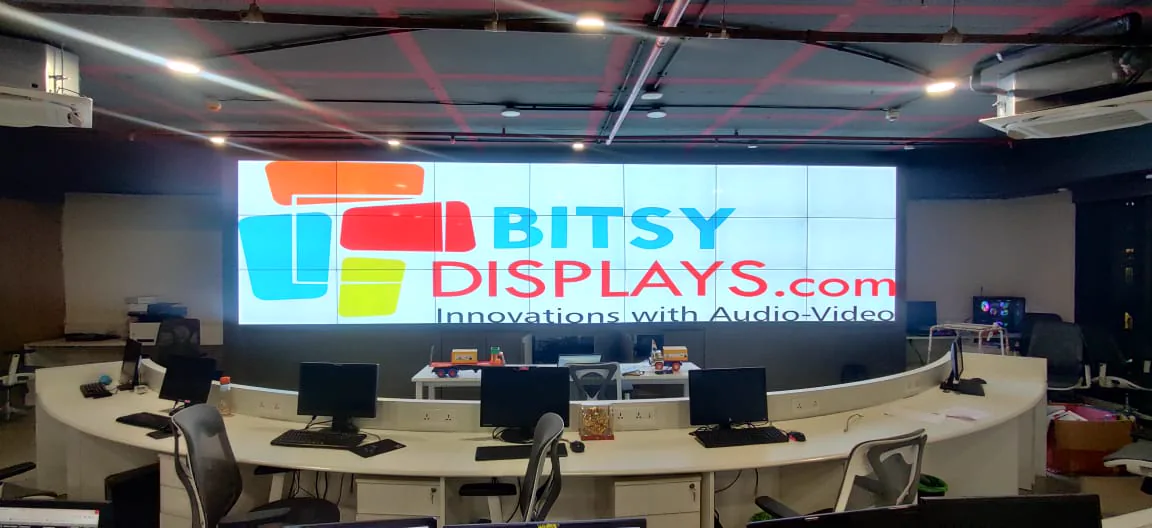
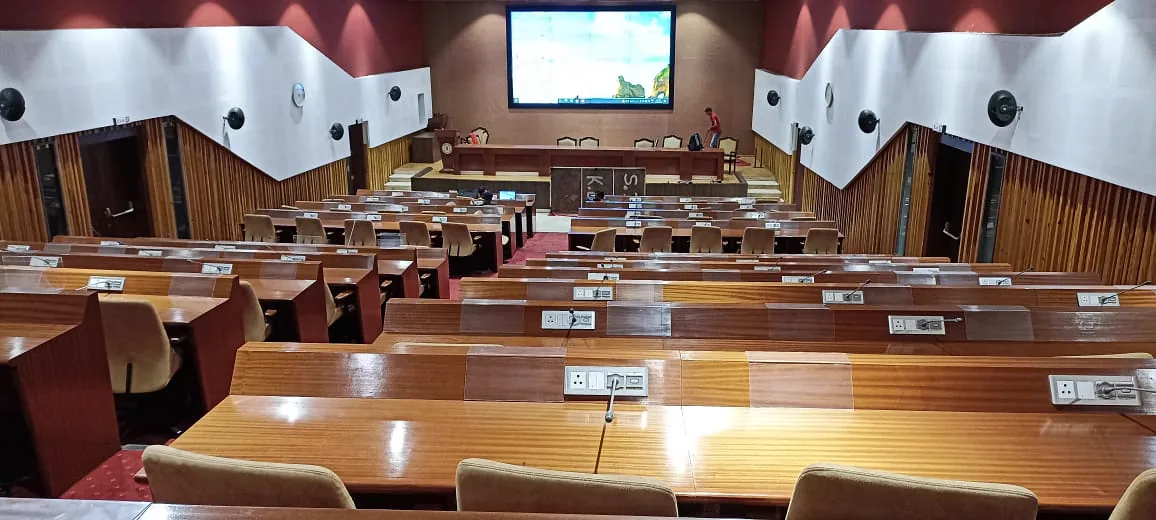
conference room AV installation 1
conference room AV installation 2
conference room AV installation 3
conference room AV installation 4
conference room AV installation 5
conference room AV installation 6

Related offerings

Often specified together

Audio-Video Solutions

Audio-Video Solutions

Conference rooms · Auditoriums · Lounges · Places of worship · Events · Experience centres

Before you buy

  • Room layout and dimensions
  • Acoustics and treatment
  • Seating layout and sightlines
  • The experience you want to create
  • Budget and phasing
See details
Auditorium AV

Auditorium AV

Auditoriums · Town halls · Convention centres · Campus halls · Places of worship

Before you buy

  • Seat count, volume and reverberation time
  • Speech and music balance
  • Sightlines from the last row and the balcony
  • Stage, rigging and power coordination
  • Operator position and control workflow
See details
Digital Signage

Digital Signage

Food menu · Retail · BFSI · Industrial · Healthcare · Education

Before you buy

  • Brightness needed for the space
  • Distance of the nearest and farthest viewer
  • Daily working hours and duty cycle
  • Signage software and who updates it
  • Commercial grade panels over consumer televisions
See details

What procurement teams say

“As part of our total solution for combined audio-visual technology, we opted for Bitsy because of the commitment shown in terms of solution, pricing, technology and meeting deadlines. We feel most comfortable and confident with the total offerings of Bitsy.”

Sandeep A. KadamManager, Procurement Department, Reliance Industries Limited

“We are delighted with the prompt installation and support offered by Bitsy for both boardroom solutions and branch displays. The quality of the products is good and we have not received any complaints from the end users.”

Asif HameedManager (C & C), IT Department, SBI
Bitsy Audio-Video installation

Visuals speak louder than words

Get an Audio-Video design, a spec sheet and an honest budget from a Certified Technology Specialist. No obligation.

Call Ask CTS expert